Clinic Software Rollout in Egypt: A Staff Adoption Plan for the First 30 Days
A staff adoption plan for rolling out clinic software in Egypt: role-by-role first tasks, super-user, go-live fallback and a 30-day review.
Key takeaways
- Adoption is decided by daily habits at reception, in the consulting room and at the cashier, not by the feature list.
- Give each role one clear first task, name one super-user in the clinic and set a date after which paper is no longer the record.
- Agree the go-live cut-off for old data and a short fallback window before launch, so the team is never working in two systems indefinitely.
- Measure adoption with a few operational counts (appointments created in the system, same-day visit notes, payments recorded). Do not promise productivity gains without your own baseline.
On this page
Short answer: A clinic software rollout in Egypt succeeds when every role has a specific first-week task, one trained super-user inside the clinic, a go-live date with a short fallback period and a 30-day adoption review. Most failed rollouts are not software failures. They are paper and WhatsApp habits that never switched off.
Why rollouts stall
Clinic owners usually choose software by comparing features and price. The harder part comes after the contract: persuading a receptionist who has run the diary on paper for ten years, a senior consultant who dictates to a nurse, and an accountant who reconciles from a notebook to change how they work on a particular Sunday morning.
Public guidance for Egyptian clinics tends to describe the benefits of going digital, such as better organisation, faster patient flow and less paperwork, and say little about how a team actually gets there. The plan below fills that gap. It is a planning method, not a research finding, and the timings are suggestions to adjust for your clinic's size.
Before go-live: four decisions in the last month
- Name a super-user. One person inside the clinic, usually a senior receptionist or nurse, who knows the system best, answers colleagues' questions and relays problems to the vendor. This is a role with protected time, not an extra duty.
- Set the data cut-off. Decide which records come across (active patients, upcoming appointments, current medication lists) and which stay on paper or in an archive. Migrating everything delays go-live without helping the first week. Our guide to moving from paper to digital records covers what to migrate.
- Fix the go-live date and the fallback window. Choose a quiet day, not the busiest. State in writing that for a defined short period paper may be used as backup, after which the system is the only record.
- Agree the daily routine per role. Write one page per role describing the first-week task in plain Arabic or English. Pin it near the screen.
Role by role: the first-week task
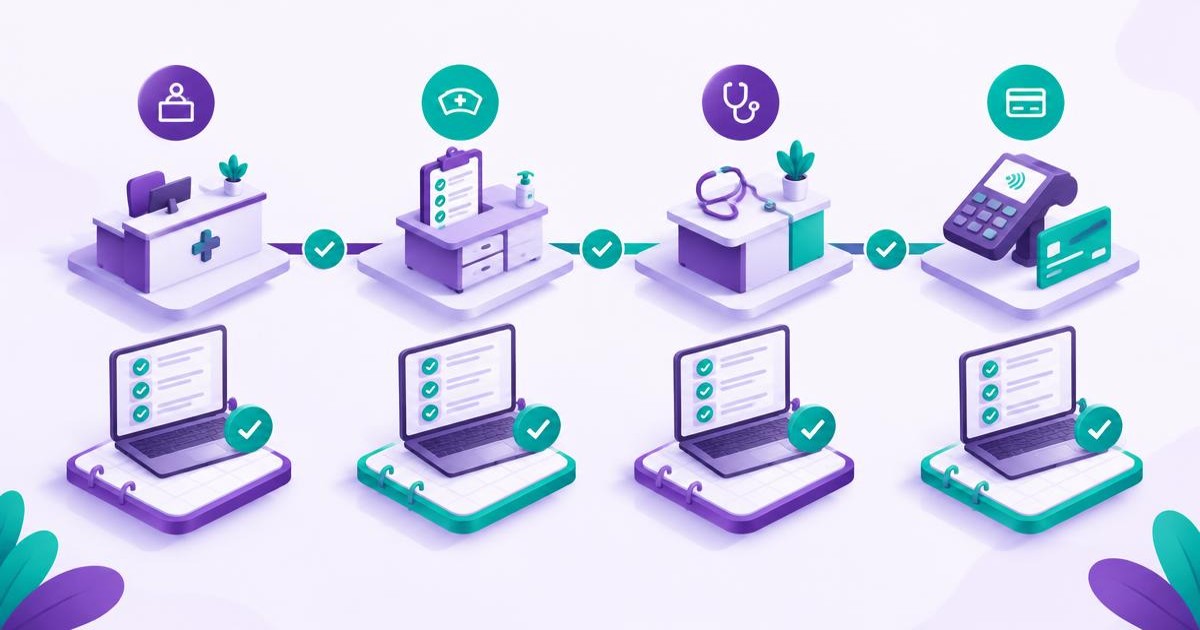
- Reception: book every new appointment in the system, check in every arrival there, and confirm the patient's phone number and preferred language at each visit.
- Nurse: record vital signs and the reason for visit in the system before the patient sees the doctor.
- Physician: complete the visit note in the system before the next patient, using a short template, even if brief at first.
- Cashier or accountant: record every payment in the system on the day, and reconcile from the system, not the notebook.
- Owner or clinic manager: open one summary screen every day and ask one question about it.
A first-week task is deliberately small. People adopt a system by doing one thing reliably, not by learning every screen.
Weeks 1 to 4: what to watch
Week 1: stabilise. The super-user is on the floor. Collect every problem in one shared list. Fix blocking problems the same day, with the vendor if needed. Do not add new features yet.
Week 2: remove the workarounds. Look for the habits that bypass the system: bookings taken on WhatsApp but not entered, notes written on paper, payments in a notebook. Ask why, and fix the cause. The cause is usually a missing field, a slow screen or a template that does not match the way the doctor works.
Week 3: extend. Add the next layer, such as automated reminders or a simple recall list, once the basics are reliable. Our article on WhatsApp integration with clinic management software shows how reminders connect to the schedule.
Week 4: review. Hold a thirty-minute review with the owner, the super-user and one representative from each role. Look at the adoption counts, the problem list and what each role wants changed.
Common failure patterns and what to do
- Double entry. Staff keep paper and enter the same data later. Set the paper-stop date and enforce it.
- Doctors bypass the system. Shorten the template, allow dictation to the nurse for a short window, and have the owner raise it directly.
- Reception works around slow screens. Check hardware and connectivity first. A slow screen is often an internet or device problem, not a software one.
- One person holds all the knowledge. Train a second super-user in week two.
- The language gap. Check that Arabic and English labels are clear for every role, including front-desk screens that patients may see.
Adoption measures worth reporting
Keep these simple and read them weekly:
- Share of appointments created in the system rather than elsewhere.
- Share of visits with a note completed on the same day.
- Share of payments recorded in the system on the day.
- Number of open items on the problem list and median days to close.
- Staff-reported confidence by role in a three-question check at the end of week 4.
Take a one-week baseline before go-live, such as how many appointments were booked and how long check-in took, so you can compare. These measures describe adoption. They do not show that revenue, wait times or patient satisfaction improved, and any statement like that needs your own before-and-after data .
Privacy during rollout
During migration and training, real patient records appear on screens and in exports. Use role-based access from day one, avoid sharing logins, keep training on test records where possible, and do not send patient lists by personal messaging apps. Review your obligations under Egypt's personal data protection law with your own legal adviser . See patient data privacy under Law 151 for clinics.
An illustrative scenario
This is a planning scenario, not a customer case. A three-doctor clinic in Giza goes live on a quiet Tuesday. The senior receptionist is the named super-user with two hours of protected time a day for the first fortnight. In week one, doctors keep forgetting to close visit notes, so the receptionist sees patients waiting at the cashier. In week two, the owner shortens the visit template to four fields, and the nurse records vitals before each consultation. By week four, the clinic's weekly counts show nearly all appointments created in the system, and the problem list has shrunk to cosmetic items. The paper diary is archived.
Nothing in that story depended on a special feature. It depended on a named person, a small first task and a date after which paper stopped being the record.
Where CareSync Clinic fits
CareSync Clinic is designed for single and multi-site clinics in Arabic and English. The onboarding, training and migration support included in your plan should be confirmed with the product team before you rely on it . If you are comparing options or planning a switch, read how to switch clinic management software in Egypt, the step-by-step guide to digitising a medical clinic and the guide for starting a digital private clinic.
FAQ
How do you train clinic staff on new management software?
Give each role one small first-week task, name a super-user inside the clinic, and review problems weekly. Training on the tasks people do every day works better than a tour of every screen.
How long does it take staff to adopt a new clinic system?
It varies with clinic size and the quality of the setup. Plan for a four-week window with a weekly review, and judge adoption by counts such as appointments created and visit notes completed in the system.
What is a super-user in a clinic rollout?
A super-user is a staff member, often a senior receptionist or nurse, who knows the system best, helps colleagues and passes problems to the vendor. The role needs protected time.
Why do doctors resist clinic software?
Usually because the template adds time to a consultation. Shorten the template, start with a few essential fields and let the owner follow up directly in the first weeks.
Should we keep paper as a backup during go-live?
For a short, defined period, yes, but set a date after which the system is the only record. Without that date, teams end up double-entering indefinitely.
Want to plan your clinic rollout role by role?
Book a CareSync Clinic demo